 doduJoin waitlist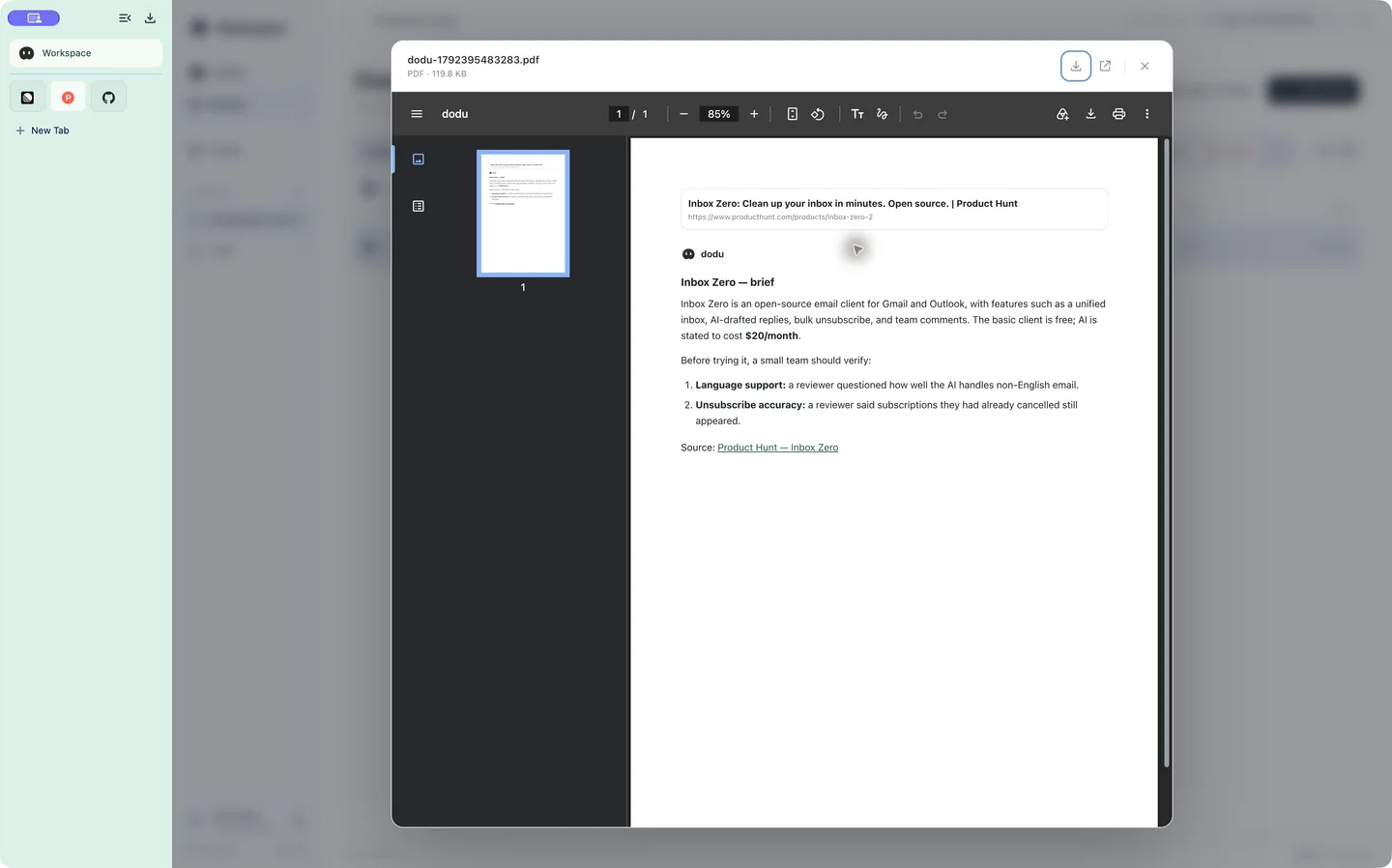
A place for results, not just open tabs
A pinned tab takes you back to a website. A PDF keeps a useful answer. A screenshot preserves how a page looked when you captured it. SPACE brings those files into the same work area as your DODU conversations.
Workspace contains two sections: DODU for questions and follow-up work, and SPACE for files. You can move between them as research turns into a plan.
What gets saved
- AI answers
- Generate a PDF and save it to SPACE for later reading.
- Full-page screenshots
- Capture the page beyond the visible viewport, review the result, then choose to save it.
- Images
- Save a selected image where the original is accessible.
- Video links
- Keep a link card that opens the source video. This does not download or archive the whole video.
A real research workflow
In the demo, dodu opens the Inbox Zero listing on Product Hunt, answers a product question and saves the brief as a PDF. It then captures the long product page and saves the image. The pointer opens Workspace → SPACE, finds the files and previews the PDF.
Keep the summary and source capture together: the summary is convenient to scan, while the capture helps you check the original wording. Before sharing, review any private information included in the page.
Local cache, cloud storage and practical limits
The Mac keeps local file blocks and previews; SPACE uses cloud storage for saved content and synchronization. Previously cached content can be faster to reopen, but first loads depend on file size, connection and preview support. No instant-load or offline guarantee applies to every file.
Cloud storage may require a subscription. SPACE is not end-to-end encrypted. Signing out does not delete cloud files, and deletion from a list may leave retained versions. Read the Privacy Policy and Terms before storing sensitive material.