 doduJoin waitlist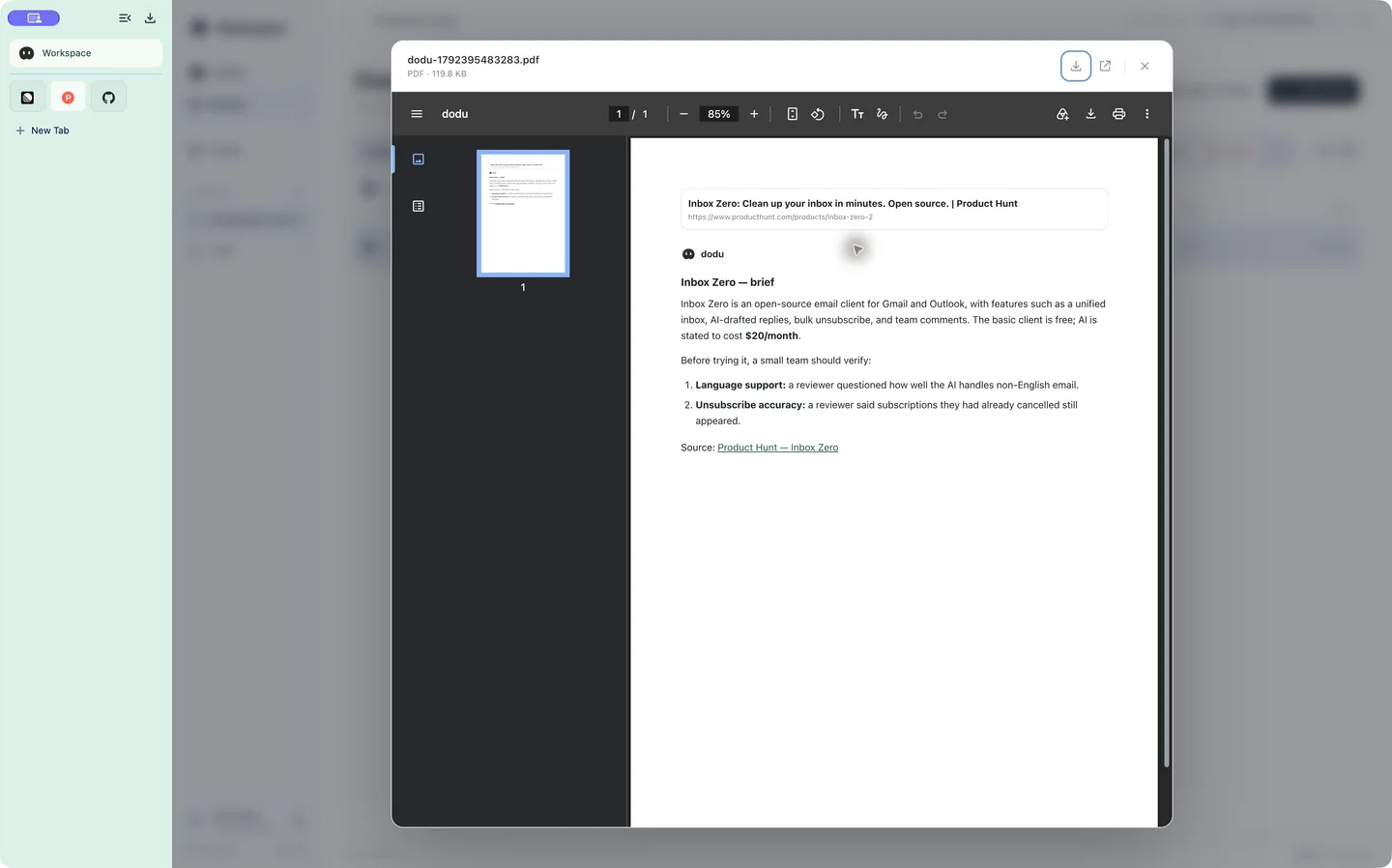
1. Open and pin the source
Our real-app demo uses the Inbox Zero listing on Product Hunt. Open the page and pin the website if you expect to return. A PIN is a shortcut to a website; it is separate from saving a file in SPACE.
Start with a question that fits your task: “Summarize what this product offers, what its page says about pricing and two things a small team should verify.” Treat pricing as a source claim to check again before buying.
2. Select, ask and read the answer
Shake the mouse, move to the product content and click to select it. Choose the explanation action or enter the question. The floating panel opens and the answer appears progressively. Check whether it addresses the intended product and identifies missing information.
For a question about the whole page, use Ask dodu in the toolbar. You do not need to open a separate chat website.
3. Keep the brief and the source separately
Ask dodu to generate a PDF of the useful answer and save it to SPACE. Close the panel, activate selection again and choose the full-page screenshot action. Review the screenshot in the assistant panel and choose Save to SPACE.
The PDF contains the generated brief; the screenshot records the page visually. Neither replaces the original live website. Dynamic sections, login-only content and lazy-loaded media can affect what a full-page capture includes.
4. Reopen, review and plan
Open Workspace → SPACE, find the saved PDF and open its preview. Review the brief against your source capture. Then switch to DODU and provide the relevant context for a short trial plan or checklist.
Before sharing a PDF or screenshot, check names, account details and other private material. Save only content you have the right to store and use.
See the exact workflow
The homepage replay shows the complete browser window through all six scenes, including the actual PDF preview. You can interrupt playback, scroll back or use the step navigation. The app is in beta; the website offers a waitlist, not a promised invitation date.